Expected Outcomes:
- On Reviewing this article you will be familiar with the available statistics and reports for the AI Companions and Therapist Assistants (TAs)
Purpose/Short Description:
- This article will guide you through the process of locating and viewing the available reports.
Tags:
- CTA, Counseling, Medical, AI, Statistics, Reports, Conversations, Workflows, Prompts
Audience:
- Counseling Team, Admins, Supervisors
Body Content: Step-by-Step Instructions
-
- Step 1: Log into the Client Team Application (CTA) with your Google account or Magic Link
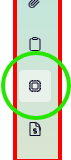
- Step 2: On the Left side of the Screen Click on the "Chip" Icon:
- You will see the available reports listed horizontally:
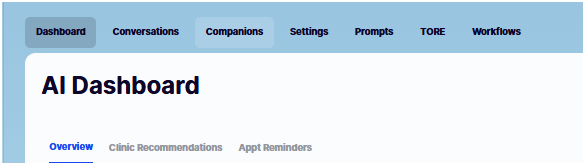
- DASHBOAR TAB
Following are high level descriptions of the Available AI Dashboard and Reports:
Overview:
Message Volume Over Time -User message count per dayRepeat Conversations Over Time -User repeat conversation count per day
AI Companion Usage Distribution - Message count by AI CompanionClinic Recommendations:
Clinic Recommendation Conversion Rate - Clicked Clinic Card / Presented Clinic
Good Clinic Recommendation Rate - Good Clinic Recommendations / Rated Presented Clinic
Should not have Suggested Clinic Response Rate - Should not have Suggested / Rated Presented Clinic
Missed Clinic Recommendation Rate - Missed Suggestion / Reviewed Conversations
- CONVERSATIONS
Grid with columns:
AI Companion, Created At, Last Activity, # Conversations, Messages,
Presented Therapist Card, Clicked Therapist Card, Last Reviewed - COMPANIONS
Grid with Columns:
Companion, Images, AI Voice, Gender, Pronouns, Traits, Status - SETTINGS
Important! AI Settings are Advanced Settings. Please Contact Support for Assistance with these Settings
AI Settings for:
Companion Chat
Reminder Calls - PROMPTS
Important! Prompt Settings are Advanced. Please Contact Support for Assistance with these Settings - Time Of Risk Engagement (TORE)
Important! TORE Settings are Advanced. Please Contact Support for Assistance with these Settings - Workflows
Important! TORE Settings are Advanced. Please Contact Support for Assistance with these Settings
- Step 1: Log into the Client Team Application (CTA) with your Google account or Magic Link