Expected Outcomes:
- This article will help you Invite clients to the systgem and manage their profiles
Purpose/Short Description
- This article will guide you through the process of inviting Clients and managing their Profiles within the Client Team Application.
Tags:
- CTA, Clients, Counseling, Profile, Invitation, email, SMS
Audience:
- Administrators, Counseling Team
Body Content: Step-by-Step Instructions
- Guideline: Break down complex processes into simple, numbered steps. Each step should be clear, specific, and concise. Use plain language, avoiding jargon where possible.
- Structure:
- Step 1: Login to the Client Team Application (CTA) with your Account hainving Counselor Role
- Step 2: On the Left side of the screen, select the "Clients" icon:
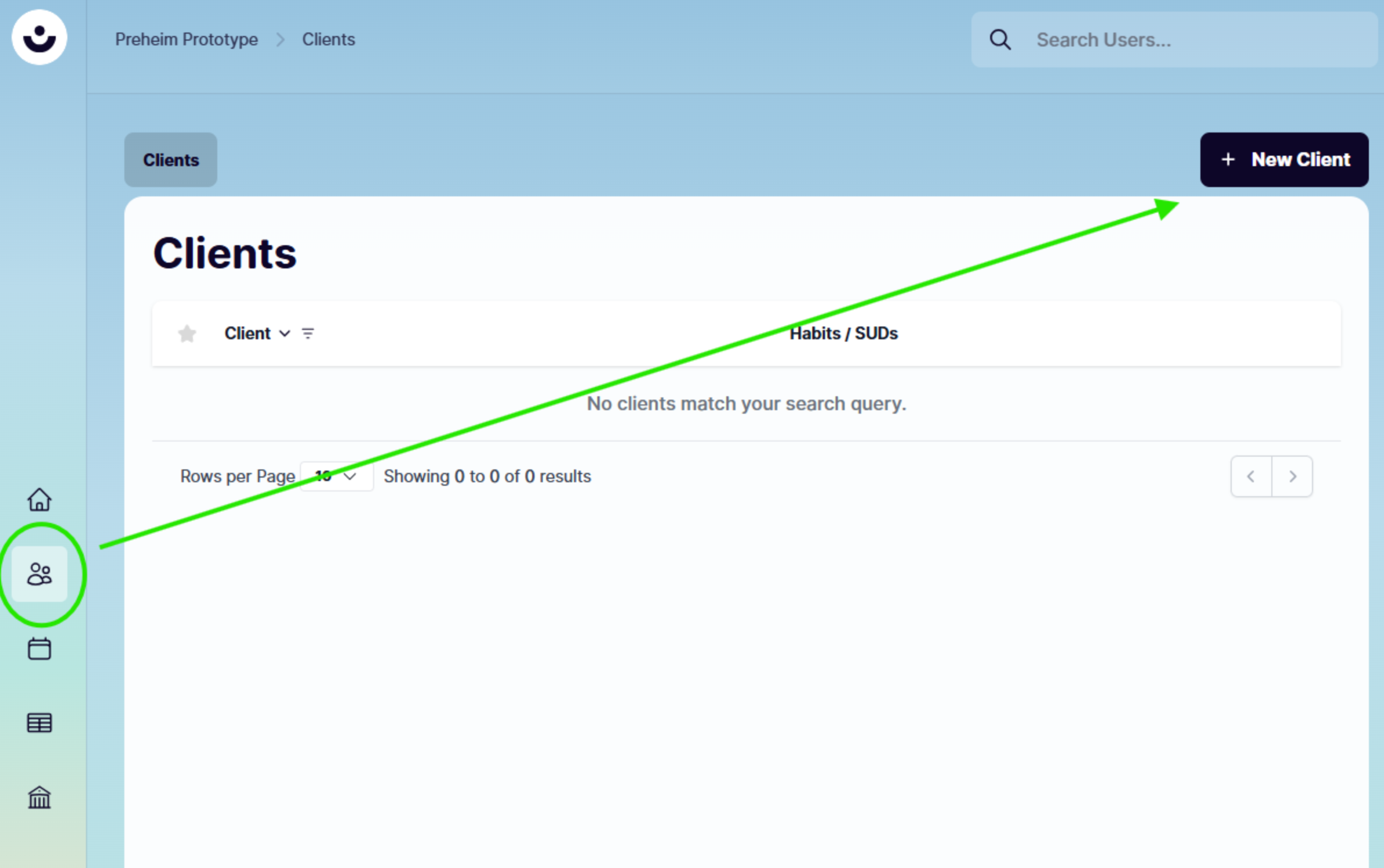
- Towards the top right, Select the "+ New Client" Button
- Complete the required fields (indicated with an * asterix)