Expected Outcomes:
- After completing this article, you should be able to successfully Delete your Anonymous Health Account from the Mobile App and complete a Data Subject Access Request Form (DSAR) if so desired.
Purpose/Short Description:
- The Anonymous Health Mobile Application can be used anonymously or if preferred, you can create an account and login and provide Profile Data.
- This article will guide you through the process of Deleting your Anonymous Health account using the iOS or Android application.
Tags:
- DSAR, Mobile Application, Signout
Audience:
- Mobile Application Users
Body Content: Step-by-Step Instruction
- Open the Anonymous Health mobile application
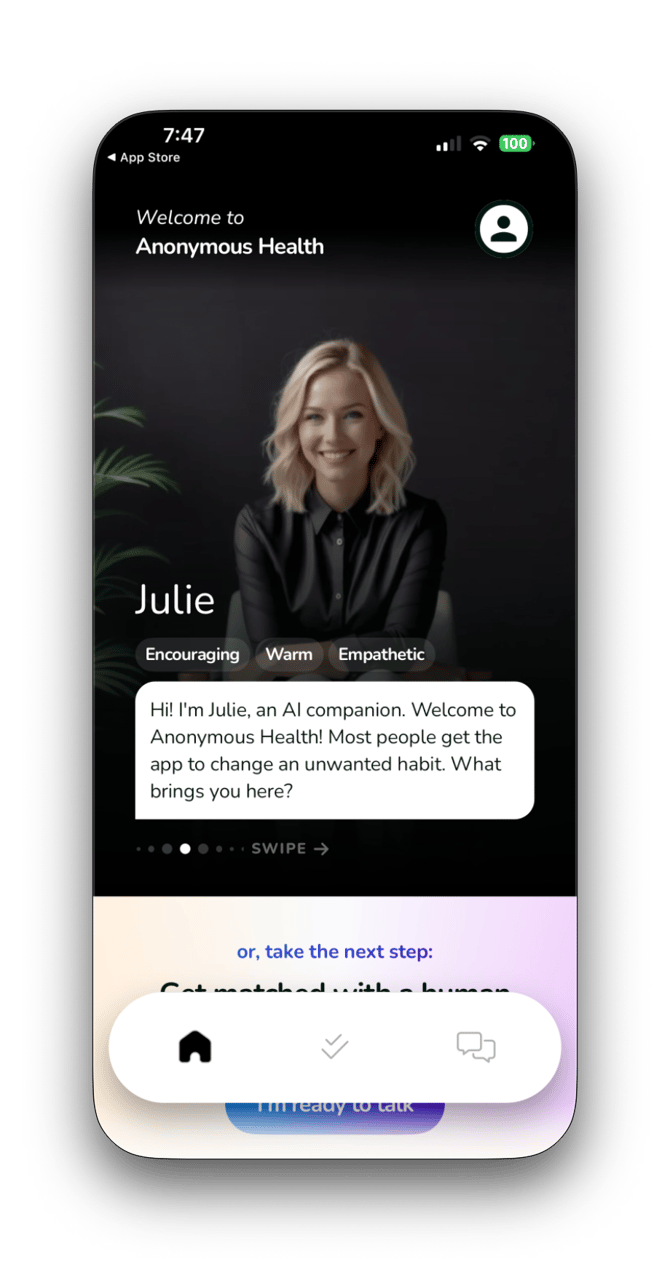
- Select the Icon at the top-right of the home screen
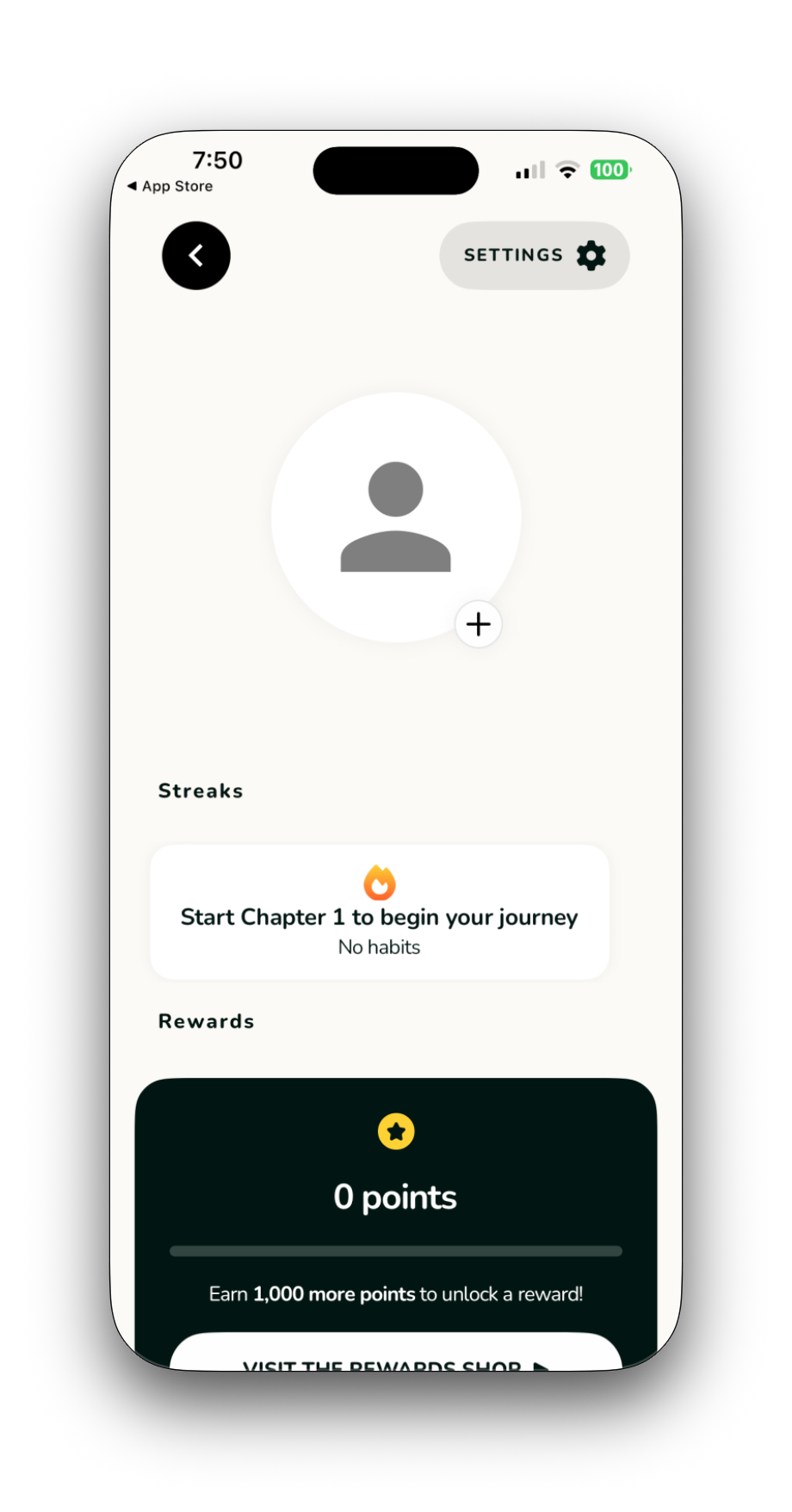
- Select Settings from the Top-Right
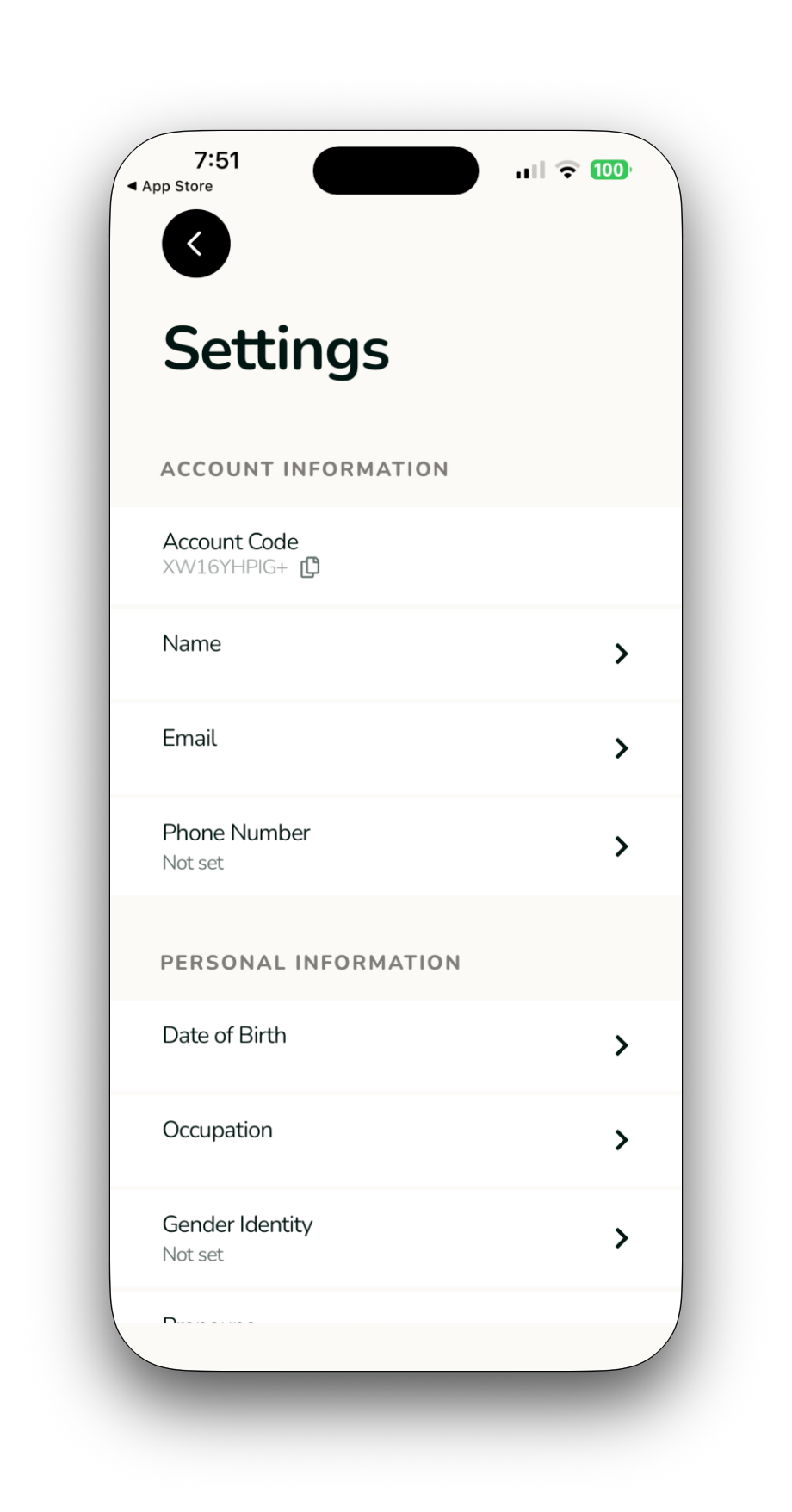
- Scroll to the bottom of the Setting Screen
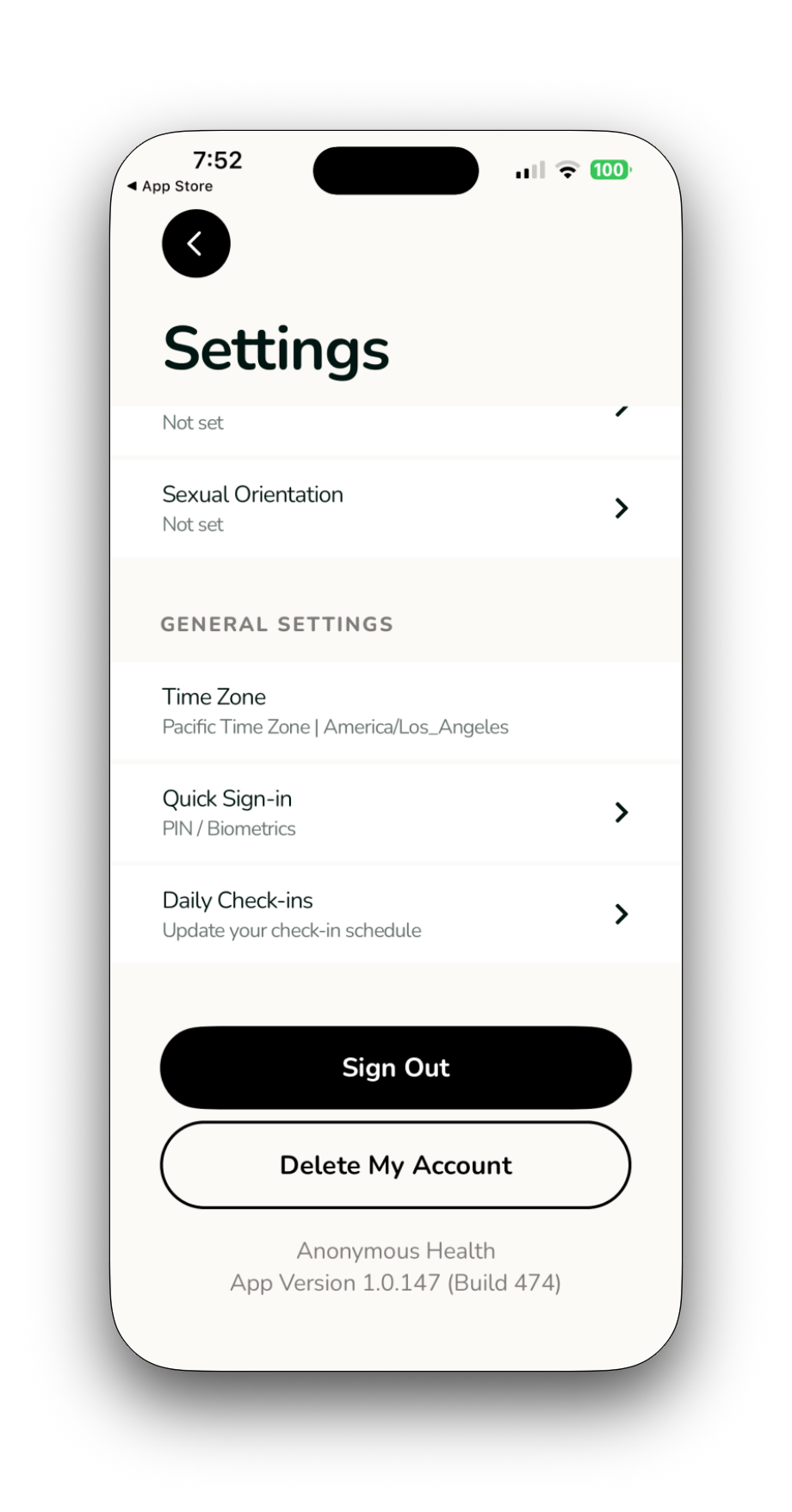
- Select Delete My Account from the Bottom of the Settings Screen
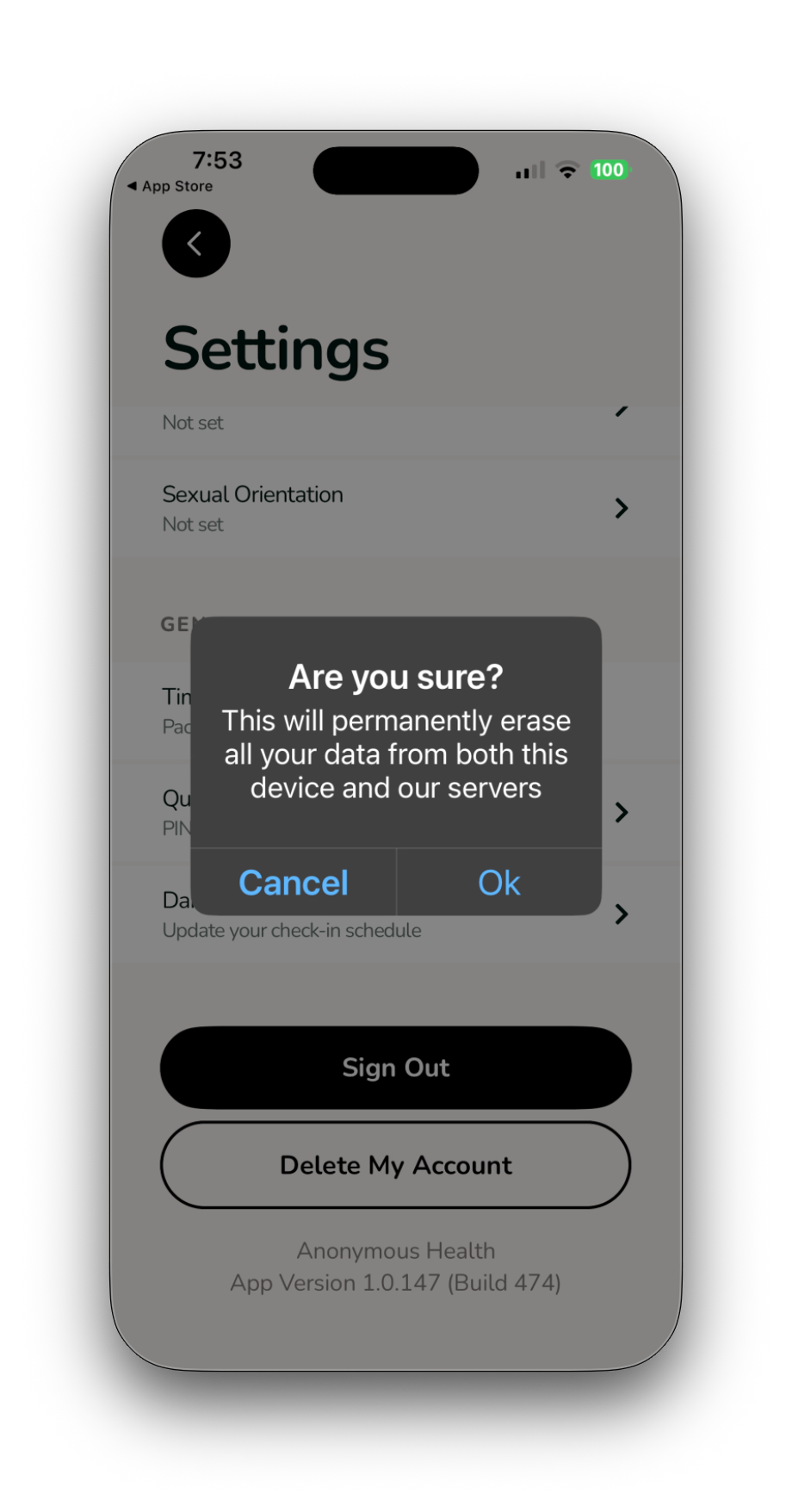
- Select OK to Confirm you want to Delete your Anonymous Health Account
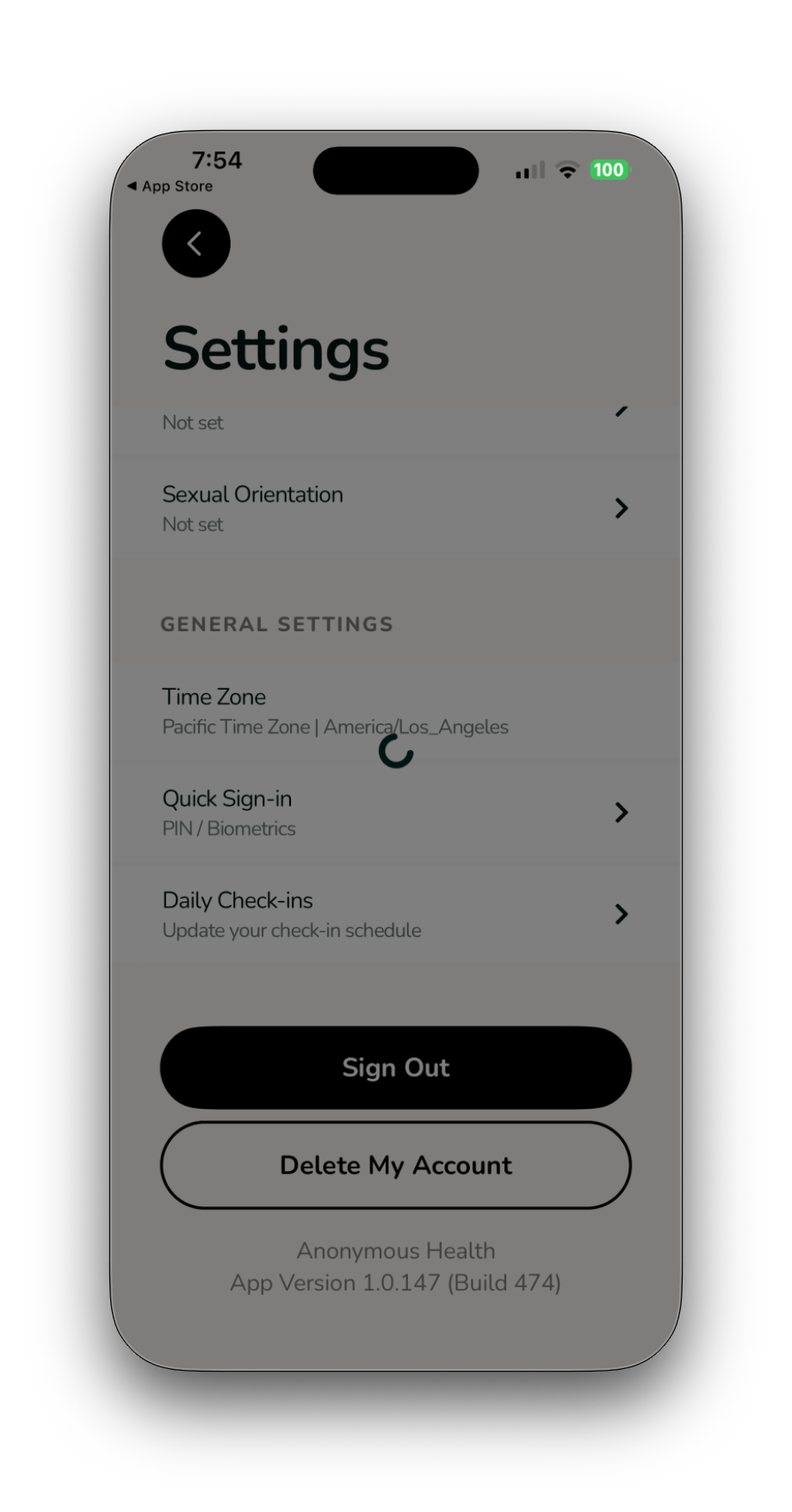
- You will see a temporary Spinning Icon while the tasks complete.
- Once the Account Deletion has completed, you will see the Home Screen:
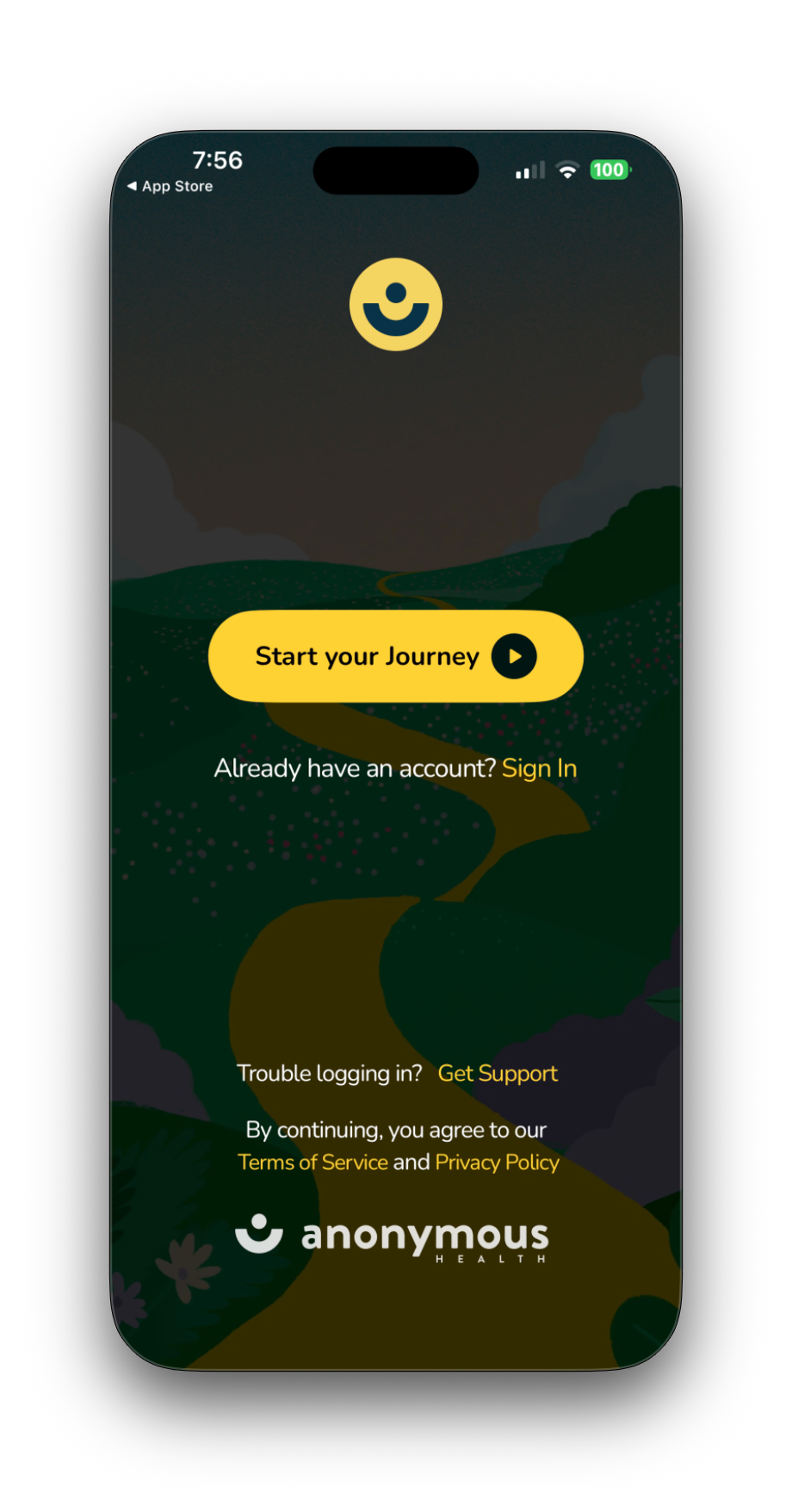
You can now Create a New Account, Login or Exit and Delete/ Uninstall the application.
Anonymous Health Data Subject Access Request Form can be found here
Relevant Links (Optional):
- https://anonymoushealth.com/dsar